> For the complete documentation index, see [llms.txt](https://docs.gearplug.io/llms.txt). Markdown versions of documentation pages are available by appending `.md` to page URLs; this page is available as [Markdown](https://docs.gearplug.io/configura-tus-conexiones/hotmart/crea-tu-conexion-a-hotmart.md).
# Crea tu conexión a Hotmart
{% hint style="info" %}
**Conexión Oauth**: Instala nuestra aplicación en tu cuenta para que podamos conectarlo a otras apps.
{% endhint %}
### Configura el acceso
1. **Dirígete a “Plugs”** en el menú superior de tu interfaz de GearPlug.
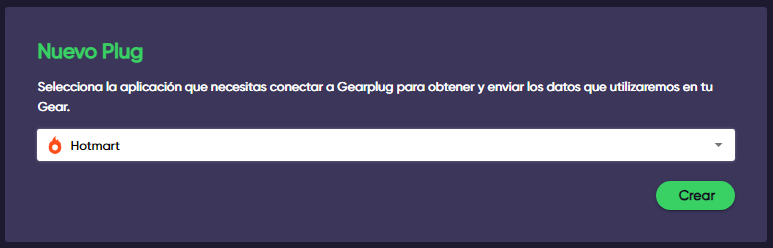
2. **Selecciona Hotmart** en el menú desplegable debajo de “Nuevo Plug” y haz clic en “Crear”.
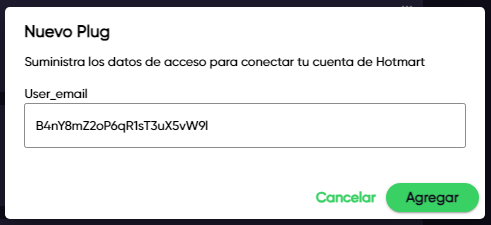
3. **Ingresa el correo electrónico** asociado a tu cuenta de Hotmart y cliquea en “Agregar”.